

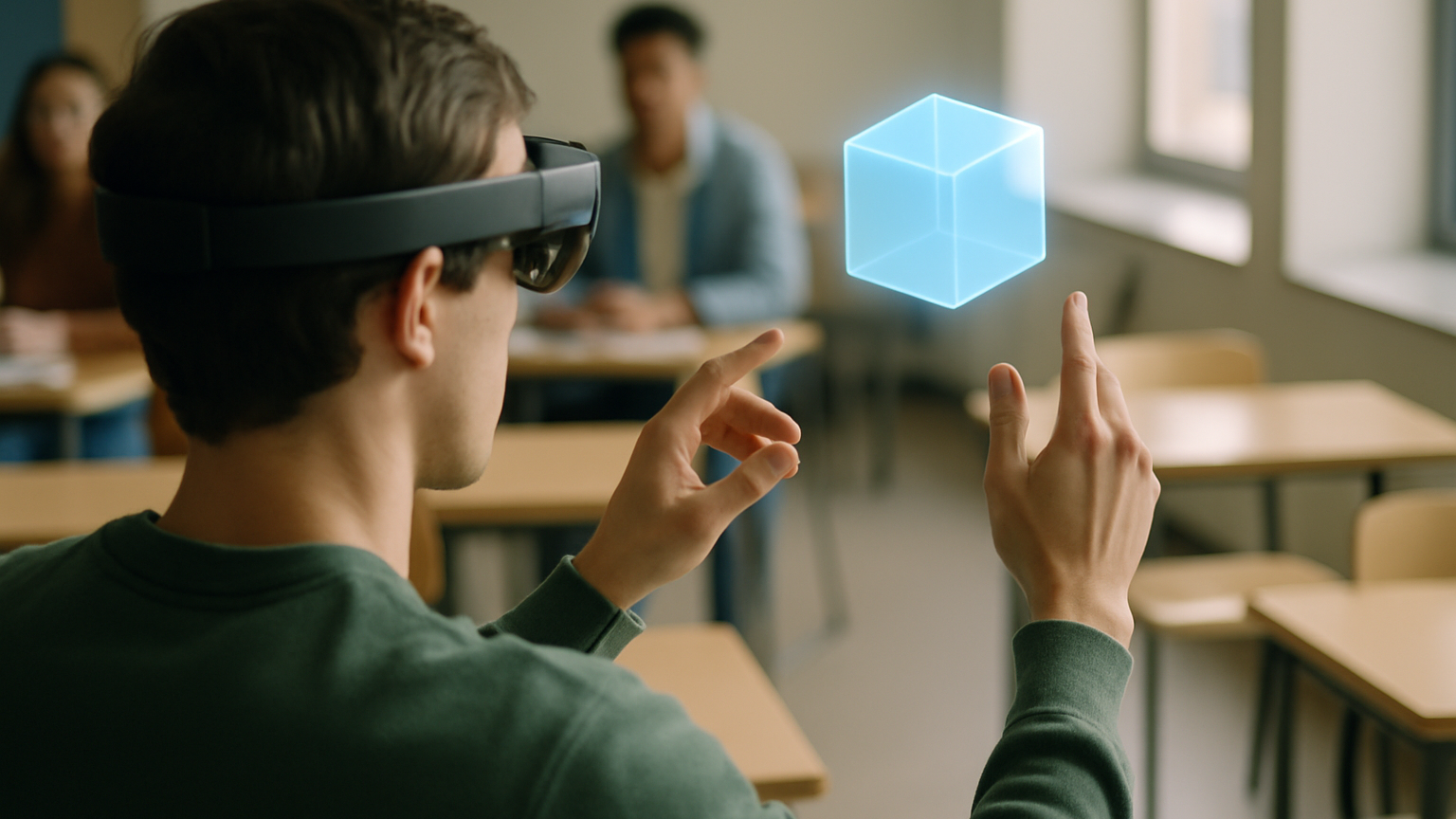
Think back to the last time a learner truly lit up during training. It probably wasn’t a slide deck. Immersive learning brings back that spark because it puts people inside the concept, not just in front of it. In 2025, that shift is accelerating: better hardware, smarter software, and a wave of content that’s actually tied to outcomes, not demos. Schools, universities, and L&D teams are moving from “proof of cool” to “proof of value,” and it changes how we plan curricula, assess performance, and budget. The big picture? Mixed reality is no longer the side project—it’s entering the core timetable.
Why now, and what’s worth your time? This guide separates hype from practice so you can invest in experiences that improve competence, confidence, and completion rates. We’ll map the major shifts, share design moves that work, and outline a practical 2025 roadmap from pilot to scale. You’ll also see where immersive learning is a bad fit—because not every scenario needs a headset. And yes, we’ll call out AR VR trends 2025 you can actually put in your classroom or training plan this year. Let’s dive in.
Why 2025 Is A Breakout Year For Immersive Learning
First, the ergonomics and price-performance curve of headsets and mobile devices have hit a sweet spot. Lighter devices with better battery life and higher-resolution pass-through make mixed reality sessions comfortable enough for full lessons, not just five-minute showcases. Hand and eye tracking reduce the learning curve, so instructors spend less time on controls and more time on coaching. On the AR side, reliable spatial anchors and improved SLAM keep content locked to the real world, which means fewer “drifting labels” on lab equipment and more trust from learners. When the tech gets out of the way, learning gets in.
Second, the software ecosystem has matured for education and enterprise L&D. WebXR and mobile AR distribution are simpler, while LMS and LXP integrations via LTI and xAPI make data flow less painful. You can capture time-to-competency, error rates, and scenario completion without a spreadsheet circus. Multiplayer and co-presence have stabilized too, enabling live coaching, role-play, and team problem-solving in shared spaces. The result is not just immersion for immersion’s sake but a connected learning stack that fits the rest of your tools.
Finally, organizations are moving from pilots to programs. Procurement has reference models to evaluate content vendors, IT has playbooks for device management and privacy reviews, and instructional designers have patterns that reduce build time. There’s also healthy skepticism—teams ask for ROI evidence and operational plans up front, which is good pressure. The payoff is fewer one-off demos gathering dust and more repeatable modules embedded in onboarding, safety, and labs. In short: 2025 is the year immersive learning stops being an experiment and starts being scheduled.
AR VR trends 2025 That Matter For Educators And L&D
Mixed reality classrooms with high-fidelity passthrough are enabling blended labs—real equipment augmented with safe, guided overlays. Think chemistry setups with step-by-step AR prompts and instant hazard visualization, or technical crafts where you see ideal hand position ghosted over your own. Remote collaboration is also leveling up: instructors can drop spatial notes, annotate a learner’s view, and co-manipulate virtual objects in real time. It’s the difference between telling and showing, especially for tacit skills.
AI is quietly doing the heavy lifting in immersive learning, and that’s a 2025 unlock. Scenario engines adapt difficulty based on performance, generate variants to keep practice fresh, and provide formative feedback on voice, movement, and gaze. Analytics move beyond completion into behavioral signals—where learners hesitate, what they miss, which steps create overload. Used well, that data improves the next session, not just the quarterly report. Used poorly, it can feel creepy, so transparent data policies and opt-ins aren’t optional.
On the access front, browser-based WebAR/WebXR and mobile-first experiences are making immersive learning available without dedicated hardware. This is huge for foundational modules, pre-work, and refresher training. Accessibility is improving, too—captions, alternative inputs, seated modes, and color-safe UIs are becoming standard. The net effect: more learners can participate, more often, with fewer logistical blockers. That inclusivity is not just nice to have; it’s what turns pilots into programs.
Design Principles For Effective AR/VR Lessons
Start with a job-to-be-done, not a headset-to-be-used. Define the behavior change you want—fewer safety errors, faster lab setup, better patient communication—and design backward. Chunk learning into 7–12 minute scenarios that target one objective at a time; immersion amplifies cognitive load, so short, focused reps win. Build feedback into the moment of action, not after the fact: haptic or visual cues when a step is wrong, and a quick replay to compare ideal versus actual. No fluff, just outcomes.
Onboarding is part of the lesson. A two- to five-minute warm-up where learners try basic gestures, menus, and reset actions saves ten minutes of confusion later. In practice, most instructors notice that by session two, learners stop fiddling with controllers and start focusing on the task. Use spatial wayfinding—light trails, anchored markers, or ghost hands—to guide attention, and keep UI elements stable in space to reduce motion discomfort. If something can be taught with a clean 2D overlay, don’t force it into 3D.
Assessment should be woven into the flow. Measure time-on-task, error patterns, and decision quality, then convert them into a simple mastery rubric. Pair the immersive session with a brief debrief: a one-minute dashboard review and a short reflection question boosts retention more than an extra minute in-sim. For teams rolling out multiple modules, create reusable assets—rooms, props, prompts—to speed iteration. And a quick reality check: VR doesn’t fix weak objectives; bad content in 3D is still bad content.
Tech Stack Decisions: Headsets, Mobile AR, And Platforms
Choose hardware by starting with the scenario constraints: mobility, fidelity, session length, hygiene, and IT support. For skills that happen around real equipment, high-quality passthrough MR can layer guidance without isolating learners. For soft skills and hazard scenarios, fully immersive VR controls context and distractions. If you need broad reach or fast iterations, mobile AR and WebXR lower the barrier and simplify updates. Device management matters, too—consider enrollment, content updates, SSO, and analytics before ordering a single unit.
- Mobile AR/WebXR: maximum reach, quick updates, limited 3D interaction fidelity.
- Standalone VR headsets: strong immersion, good tracking, easier deployment than PC VR.
- PC-tethered VR: highest fidelity and compute, but more cables, cost, and setup.
- MR headsets with passthrough: blend real and virtual for equipment-heavy tasks and safe overlays.
Platforms should play nicely with your learning ecosystem. Look for LMS/LXP integrations, xAPI support, role-based access, and content portability so you’re not locked into one vendor forever. Content pipelines matter: can you update a step, swap a prop, or localize text without a full rebuild? For multiuser sessions, test your network conditions and concurrency limits in the exact classrooms or training rooms you’ll use. Reliability beats wizardry in live instruction.
Who is this not for? If your sites have spotty Wi‑Fi, zero IT support, and strict device policies, don’t start with multiuser VR labs—pilot mobile AR first. If your learners have vestibular sensitivities, design for seated modes, generous comfort settings, or AR alternatives. If hands are always occupied on the job, voice and gaze interactions should be primary, or the experience will frustrate more than it helps. And if your learning goal is pure knowledge recall, a short interactive video may beat a headset session on both cost and time.
From Pilot To Scale: Your 2025 Roadmap For Immersive Learning
Scaling immersive learning is part content strategy, part change management. Treat your first deployment like a product launch: define success, set a baseline, and plan the next release before the first goes live. Create a cross-functional squad—learning design, IT/security, operations, and an educator who will actually teach with the thing. Document what works and templatize it so module two is half the lift of module one. Teams that partner with experienced builders—those who have shipped dozens of immersive projects—skip a lot of avoidable potholes.
Set A Measurable Learning Goal And Baseline
Choose one primary metric tied to performance: reduce errors per procedure, cut time-to-competency, increase first-time pass rates, or improve transfer to the job after 30 days. Get a baseline from your current method—paper lab, video module, classroom demo—so the comparison is fair. Instrument the immersive lesson with xAPI events to capture the same signals you care about offline. Run a small A/B or pre/post study with a representative cohort, not just your most tech-savvy volunteers. When the metric moves, you have air cover to scale; when it doesn’t, you know exactly what to tweak.
Decide Content Path: Build, Buy, Or Partner
Off‑the‑shelf content is fastest for common scenarios; custom builds shine for proprietary workflows, brand standards, and complex data capture. A hybrid often wins: buy foundational modules, then extend with custom steps and assessments. If you lack in‑house 3D and systems expertise, work with a partner who blends design, engineering, and pedagogy—not just one of the three. RTE Global has completed 140 projects and operates as a true build partner, combining emerging tech with strategic and creative thinking; if you’re exploring this route, start a conversation with a seasoned creative software agency. The right path is the one that gets validated content into learners’ hands quickly without painting you into a platform corner.
Plan For Scale: Governance, Privacy, And Support
Before you add a second cohort, lock down the operating model. Governance sets who can publish, who approves updates, and how versions roll out across sites. Privacy and ethics need clear lines: what behavioral data you collect, how long you store it, who can see it, and how learners consent or opt out. IT support plans should include device enrollment, sanitation protocols, spares, and a simple help path for instructors mid‑class. Finally, capture lessons learned in a playbook—templates, checklists, and do/don’t examples—so every new module inherits your hard‑won simplicity.