

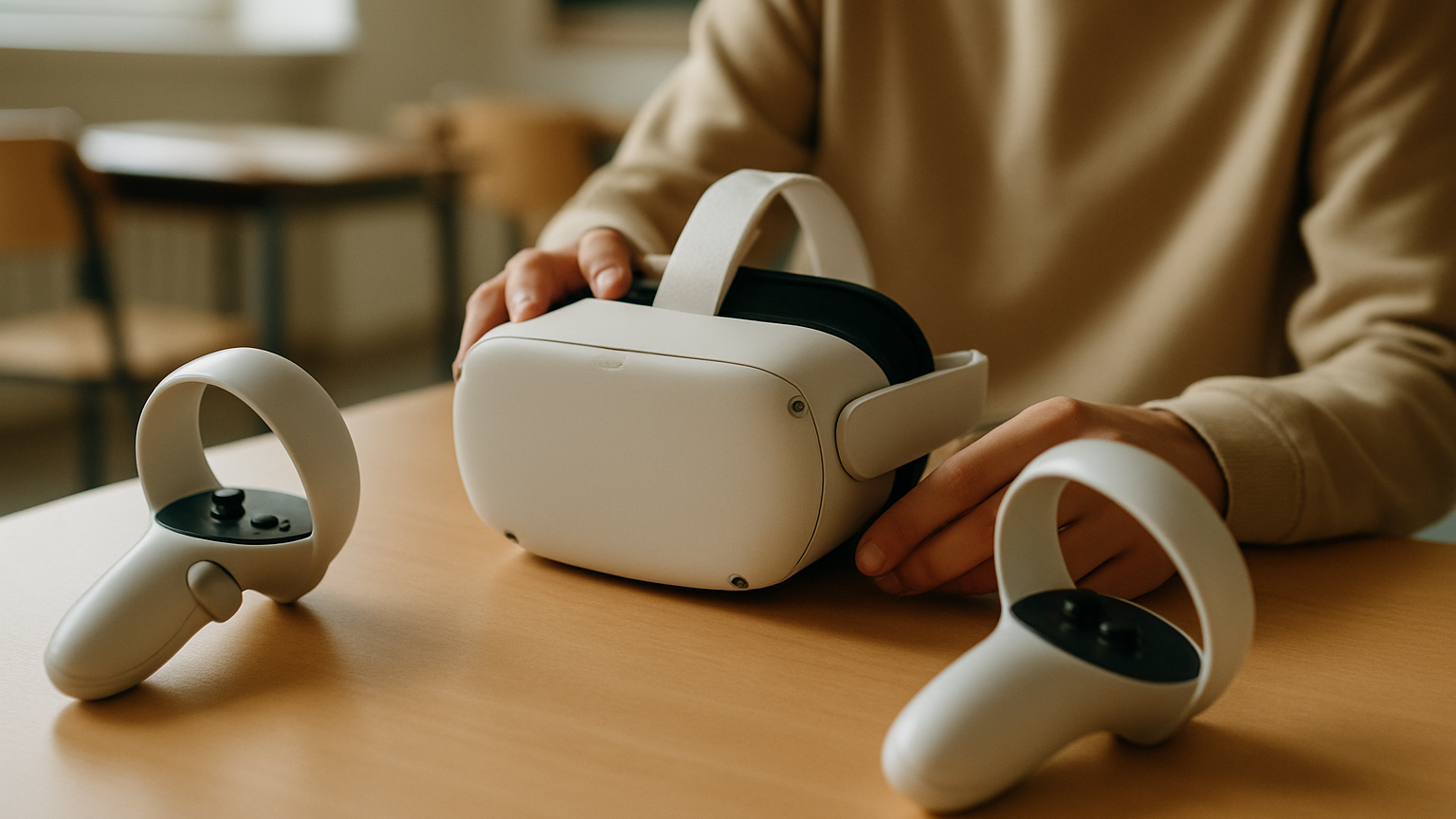
If you’re setting up a VR lab for learners, the shopping list can spiral fast. Headsets, PCs, sensors, Wi‑Fi, trolleys, chargers — where do you even start? The truth: VR training hardware requirements are easier to nail down when you stop thinking in gadgets and start thinking in lessons. What do students need to do, demonstrate, or reflect on? Once that’s clear, the right devices, room setup and accessories almost pick themselves. And no, you don’t need a gaming rig for every headset.
We’ve seen this play out across soft-skills practice, safety drills and technical procedures. When immersion, embodiment and shared space are shaped around the learning outcomes, you get better attention, safer rehearsal and quicker skill transfer. That’s the idea behind solutions like VRskills — a combination of a VR software platform, content production and hardware management — designed so training can run without an instructor physically present and be repeated as many times as needed. The result in real life? Most cohorts move faster when sessions are standardized, devices are prepped, and content launches in kiosk mode. It sounds simple because it is simple once the pieces line up.
Start With The Learning Outcomes, Not The Specs
Begin with verbs, not voltages. Are learners identifying hazards, practicing conversations, assembling parts, or navigating a process under time pressure? Each verb points to specific interactions you’ll need in VR: precise hand tracking for assembly, gaze and voice capture for soft skills, or multi-user presence for collaboration. When you define evidence of learning — a checklist, a score, a recording — you also define the telemetry your hardware must reliably capture.
Next, map the environment fidelity you truly need. If the goal is decision-making and communication, a believable space plus voice and eye contact often beats hyper-real textures. For motor skills, it flips: controller ergonomics, low latency and consistent tracking matter more than cinematic lighting. This alignment prevents you from overspending on GPUs when what you need is stable inside-out tracking and good audio.
Finally, decide how sessions run: supervised, semi-supervised, or self-serve. The more autonomy you want, the more you’ll lean on platform features like kiosk launchers, role-based access and secure user profiles. A dedicated VR training stack — such as VR training solutions that combine platform, content and device oversight — helps here by reducing downtime and making repeated practice straightforward. That’s how you scale from one pilot room to an actual program.
Headsets, Tracking And Haptics: What Fits A Classroom?
When schools ask about hardware requirements for VR training in education, they usually mean this trio: headsets, tracking, and any extras like haptics. The right mix depends on class size, supervision, and the balance between movement and seated tasks. A practical rule: favor simplicity and reliability over theoretical peak performance. The best setup is the one your facilitators can deploy in five minutes, not the one that wins spec sheets.
Also think about hygiene and wear-and-tear. Replaceable face gaskets, easy cleaning, and sturdy head straps are not glamorous, but they’re what keep sessions rolling after the first month. In practice, most classrooms see sessions run smoother when headsets are charged the night before and labeled by group. A small thing, big effect.
Standalone Headsets Vs PC VR In Education
Standalone headsets are the classroom workhorses: all-in-one, cable-free, fast to deploy, and good enough for most soft-skills, safety, and procedural training. You get inside-out tracking and 6DoF controllers without a pile of cables or a fleet of towers. Battery management and content distribution become your main operational tasks, which is a fair trade for the simplicity you gain.
PC VR shines when you need very high-fidelity visuals, complex physics, or enterprise integrations that are PC-first. Think advanced technical training with small parts, or research-grade scenarios that push graphics. The catch is the infrastructure: tethered cables, GPUs to maintain, and more points of failure. For day-to-day classes, standalone often delivers higher session reliability per minute invested.
Inside-Out Tracking Vs External Sensors For Skills Practice
Inside-out tracking (cameras on the headset) is fast to set up and accurate enough for most training tasks. It’s ideal when you need to move rooms, support mobile carts, or run pop-up labs. External sensors can offer more robust tracking volumes and consistency for edge cases — for example, when tools occlude controllers or when you need large, shared play spaces.
Ask yourself: do learners need millimeter precision with hands, or simply consistent controller presence and orientation? For assembly-like tasks, consider add-ons or props that align with controllers to improve proprioception. For communications training, prioritize face-forward stability, microphone quality, and low noise from the environment over exotic tracking setups.
Haptics, Eye Tracking And Accessories For Assessment
Light haptics are built into most controllers and are usually enough to signal state changes, feedback, and micro-successes. Specialized haptic gear can be powerful for niche skills, but it ups cost and complexity. Eye tracking is valuable when you assess attention, scan paths, or interpersonal cues; it’s less critical when the task is purely hands-on.
Don’t forget the unsexy accessories that make or break a class: charging docks, spare face cushions, cable ties, microfiber cloths, and storage cases. A few sturdy floor mats help with orientation and safety. Cables everywhere? Hard no.
Compute, Networking And Space Setup For Reliable Sessions
Compute needs scale with your headset choice. All-in-one devices minimize reliance on PCs, while tethered headsets require maintained desktops or laptops that match the vendor’s guidance. Either way, stability beats peak performance: a consistent frame rate and low latency matter more to comfort than chasing every last graphic flourish. Choose a configuration your tech team can support at scale, not just on day one.
Networking is about content delivery, updates and multi-user sessions. Reliable local connectivity and a plan for content caching prevent last-minute chaos. If you’re running group simulations, keep your VR traffic predictable and test with the same number of devices you plan to use in class. Small pilot groups almost always hide bottlenecks that appear when you hit a full cohort.
Space matters as much as silicon. Clear floor areas, marked boundaries and a simple flow — pick up, sanitize, play area, return — help you avoid collisions and delays. In practice, most classrooms find that a repeatable room layout saves 10–15 minutes per session just by removing guesswork. Add visible charging stations and label everything the way you label lab glassware.
Device Management With A VR Platform: Updates, Security, Scale
Device management is where pilots live or die. You’ll want centralized control for app deployment, version locks for assessments, kiosk mode to keep learners on task, user profiles that respect privacy, and remote support tools to rescue stuck sessions. This is why many programs pair their hardware with a dedicated VR training platform.
A platform approach — like the combination offered in VR training solutions — brings together content, analytics and hardware oversight. Standardized interfaces and pedagogical components help ensure each run is consistent, measurable and repeatable, which reduces downtime, injuries, and overall time spent in training. It also unlocks self-serve sessions without a facilitator in the room, which is how you scale access across campuses.
For whom is this NOT? If your program demands bespoke, research-grade sensors or medical certifications that sit outside mainstream headsets, you’ll likely need a specialized vendor and a smaller, highly controlled lab. For everyone else, platform-managed, mainstream devices get you 90% of the value with a fraction of the maintenance.
VR training hardware requirements by use case
Soft skills and customer service: prioritize audio clarity, comfortable headsets, and features like eye and head-gaze analytics if you plan to assess attention. Standalone devices work well here, with session recordings and lightweight performance dashboards. You don’t need exotic tracking — you need reliable voice capture and stable, low-distraction environments.
Safety procedures and compliance: focus on clear visuals, haptic cues, and repeatability. Inside-out tracking plus well-designed props can guide correct hand positions. Build in prompts and scoring so evidence is captured consistently, then lock versions during testing windows so assessments stay valid. When you map VR training hardware requirements by use case, this category rewards durability and fast sanitization over maximum graphics.
Technical assembly and maintenance: consider higher-fidelity models and, if necessary, a small number of PC-powered stations for complex parts. Most practice can still happen on standalone devices if interactions are designed thoughtfully. The blend — a few high-end bays plus a fleet of mobile headsets — lets you serve both depth and throughput without blowing the budget.
Collaborative labs and shared experiences: plan for multi-user synchronization, clear voice chat and defined floor areas. This is where curated, networked experiences — even those designed as an immersive VR attraction — can double as powerful education tools when adapted for learning goals. The hardware ask is less about raw power and more about reliable connectivity and spatial flow.
Budget, Procurement And Future-Proofing Your Lab
Think total cost of ownership, not sticker price. Headsets, chargers, spares, cleaning supplies, storage, and replacement parts add up — and they’re the line items that keep programs running in year two. Budget time as well as money: device prep, updates, content QA, and facilitator training are recurring costs.
Procurement loves clarity. Specify the number of headsets, expected daily usage, charging strategy, and support model. Include your platform requirements — single sign-on, analytics export, version control — so IT knows what they’re approving. If your institution buys in cycles, plan refresh windows so accessories and spares remain compatible.
Future-proofing is about standards and flexibility. Choose widely supported ecosystems, keep content portable where possible, and avoid niche add-ons unless they’re mission critical. Pilot with the equipment you intend to scale, then scale in waves to catch issues early. If you’re unsure how to architect the stack end-to-end, explore partners who combine emerging tech with strategic and creative thinking — it’s easier to evolve when the foundation is sound.
One last note on expectations. VR training hardware requirements won’t be identical across departments, and that’s fine. Standardize where it makes sense (device model, platform) and let modules vary by need (accessories, props). The programs that last treat their lab like a living system, not a one-time purchase.